
Renewal rates are available for you to review as part of your Employer Agreement in Benefits Connect. Follow these steps to access them:
1. Log in to Benefits Connect.
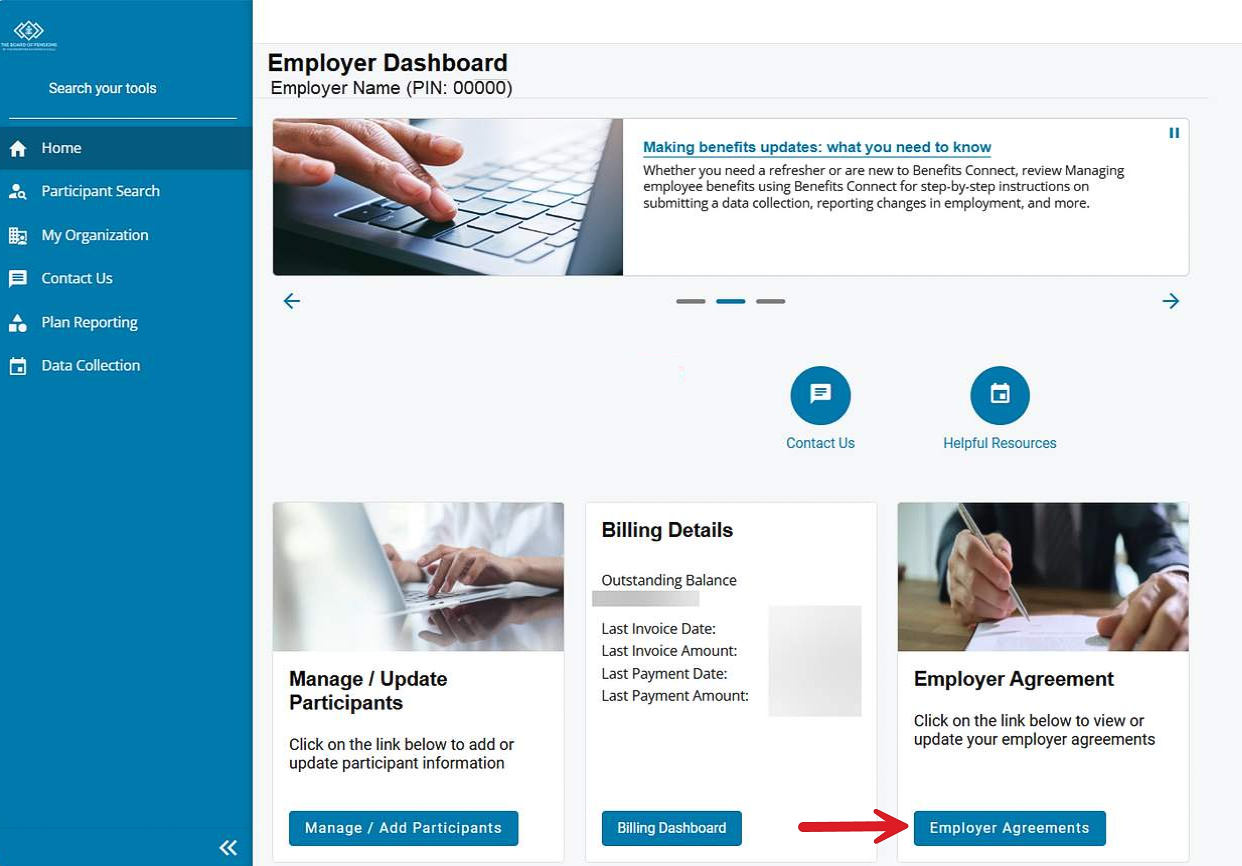
2. Select the blue Employer Agreements button.
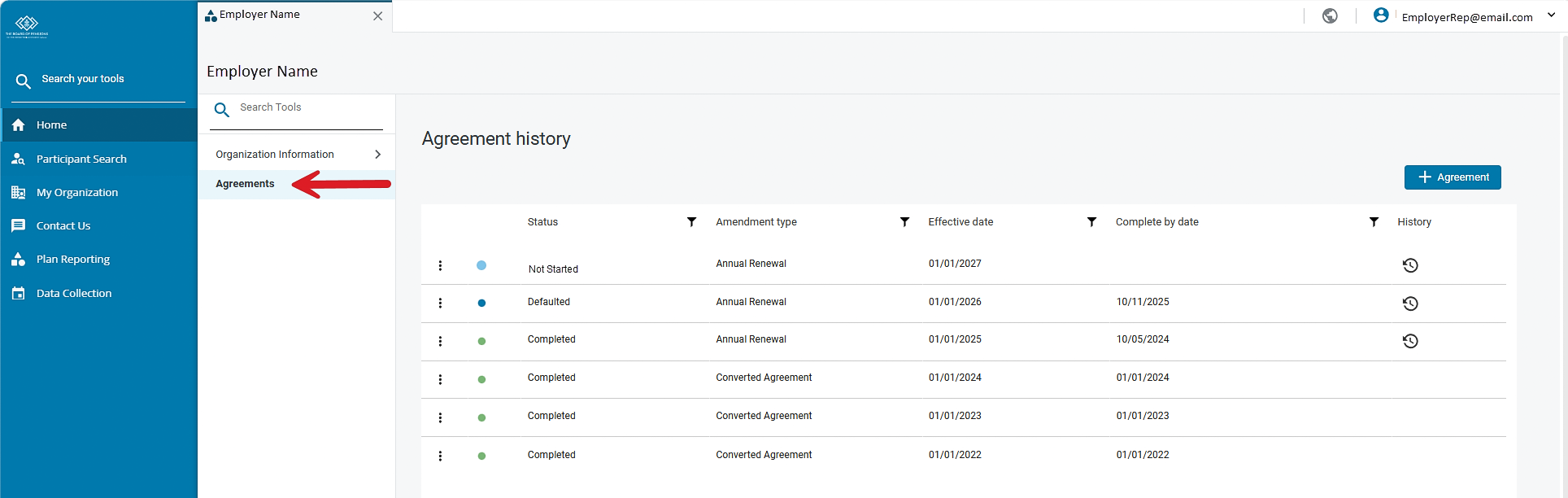
3. In the left-hand navigation menu, select Agreements.
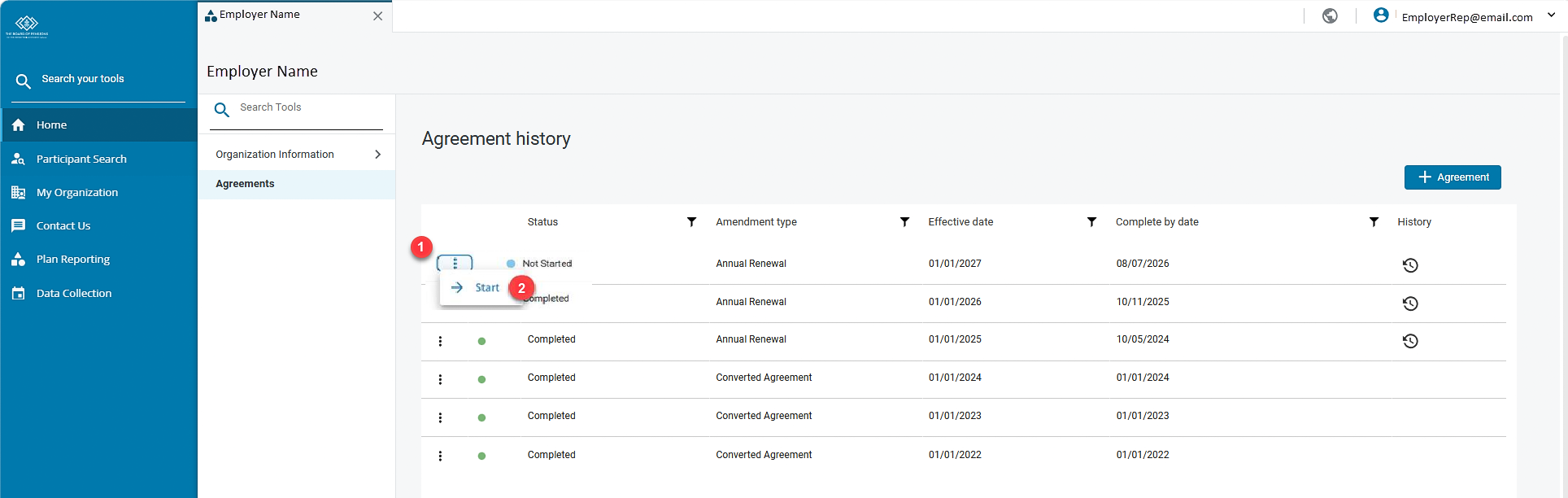
4. Click on the three dots to the left of Not Started/In-progress and select Start/View to access your Employer Agreement.
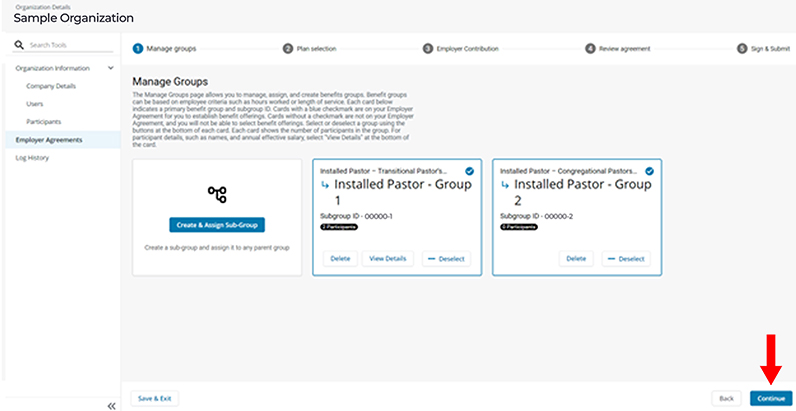
5. From the Manage Groups page, click on Continue in the bottom right-hand corner.
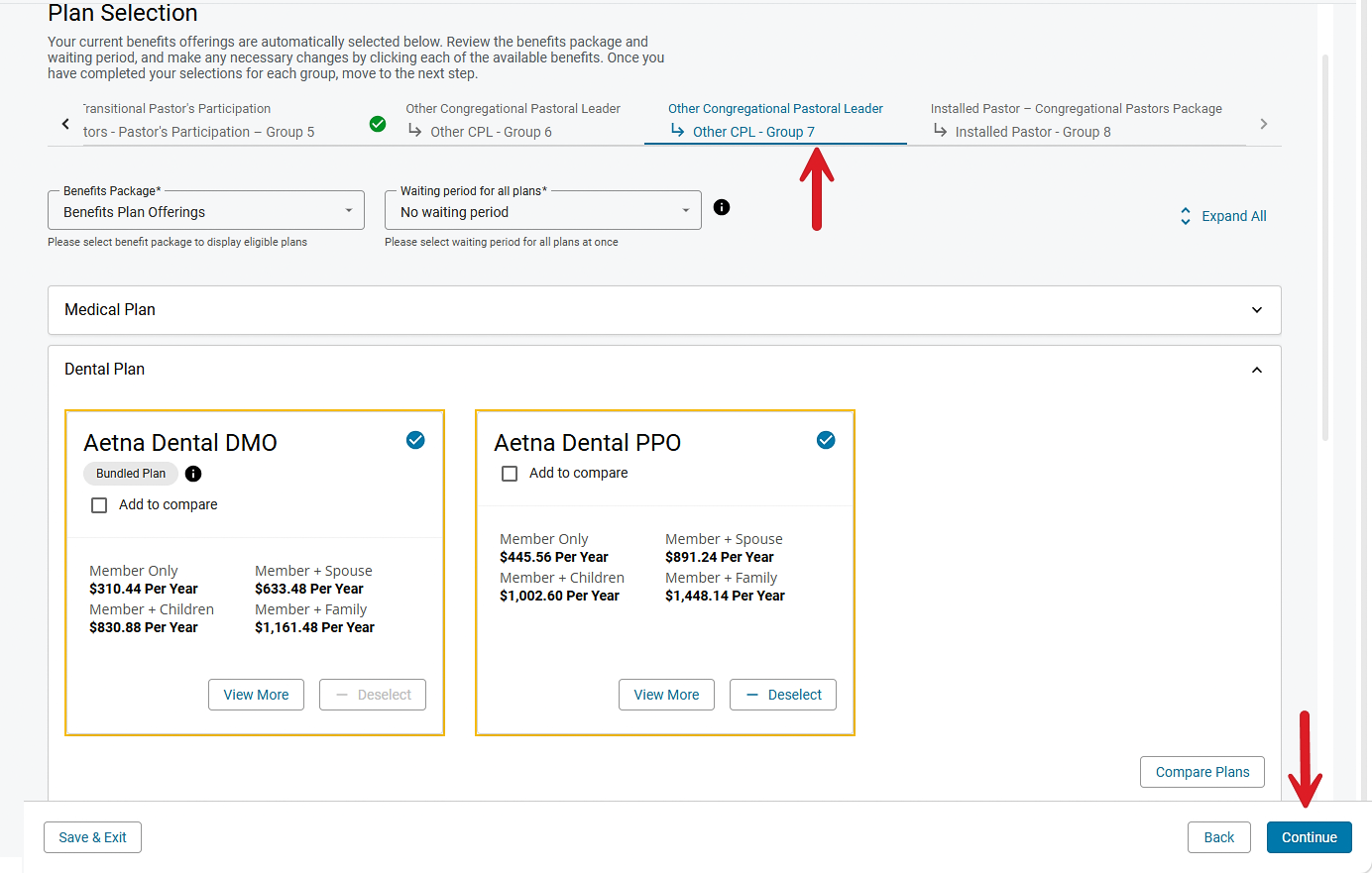
6. On the Plan Selection page, you will see each of your benefit groups listed across the top of the page. Click each group heading to review individual benefit groups and the annual rates. Cards with a blue checkmark indicate benefits that are currently being offered.
Review each benefit group, then click Continue.
Note: Rates depicted in the image are for demonstration only. Log into Benefits Connect to review your actual rates.
You can make changes to the benefits you offer directly in Benefits Connect. After reviewing and updating your Employer Agreement, please submit it in Benefits Connect.
Have questions, need help, or want to make changes after you have submitted your Employer Agreement? Call Employer Services at 800-PRESPLAN (800-773-7752) (TTY: 711).| Would you like to offer the Medical Plan for the first time to an employee or benefit group? Here’s how to request pricing. |